Facebook Twitter Gplus YouTube E-mail RSS


formats

Week 3 – Papilio Introduction Series: VGA Output!

Welcome to week three of the Papilio Introduction Series. This week we are covering one of the most exciting features of the Papilio – VGA output with the ZPUino Soft Processor.

“Did you know that with the raw power of the Papilio’s FPGA, the ZPUino, and a VGA Wing you can write sketches with VGA output? You can use VGA output to write text, boxes, virtual LCD’s, menus, and even games. This article will get you started with using VGA on the Papilio. “

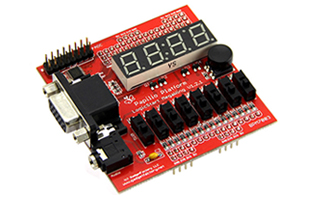
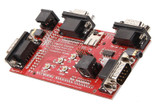
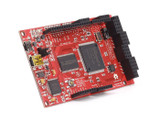
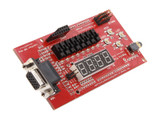
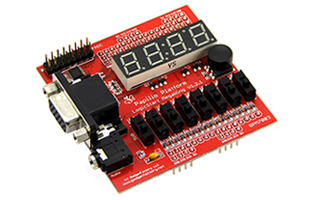
If you’ve picked up the Arcade MegaWing for $84.99 from Seeed Studio or already have a 3-bit VGA Wing then you can get started right away with making your own custom VGA graphics using a simple VGA library.

The latest article is really two articles: the first one presents several VGA sketches and the second is an introduction to the ZPUino to get you up and running quickly.

If you don’t have an Arcade MegaWing yet don’t worry we have you covered:

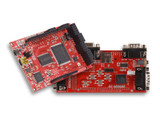
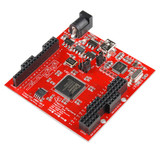
Pick up a Papilio Arcade Combo for $74.99 while supplies last.

Or even better, it’s completely Open Source so grab the EAGLE files and build one for yourself!

Fork me on GitHub
 
formats

Bruce Perens Mentions Papilio And Bus Pirate In Linux Keynote Speech

(Jump to 39:04 on the vid to hear Bruce mention Dangerous Prototypes Bus Pirate, and to 41:04 when he talks about our Papilio!)

Open source guru Bruce Perens gave a keynote speech recently at the major 2012 Linux conference linux.conf.au just this past week in Ballarat, Australia.  If you’ve got an hour to spare, the whole video is certainly worth watching.  His topic in the video is The State Of Open Source, And Introducing Open Hardware.  This gentleman is on the cutting edge, folks.

For the uninitiated, here’s a bit of Bruce Perens’ backstory as a legendary open source advocate.  He singlehandedly forged the Open Source Definition, co-founded Open Source Initiative (OSI), and worked for 12 years at Pixar as a studio tools engineer.  He also started the Busybox project, which every embedded Linux system uses.  Perens is also a former Debian project leader.  Debian is a computer operating system composed of software packages released as free and open source software primarily under the GNU General Public License.  So, those are only some of his many accomplishments.  Feel free to read more of Mr. Perens here.

Bruce Perens has some major cred, to be sure.  From someone of this pedigree, we are genuinely honored to get a mention in his keynote speech.

Thanks, Bruce!  On the off chance you’re reading this, drop us a line sometime!   :)

 
formats

Announcing A Very Special Promotion: Papilio Arcade Combo $75 Blowout!

Here at Gadget Factory, we are pleased to announce something along the lines of a Super Sale!  As of right now, we’re offering a combo promotion on our Papilio One 500k and the Arcade Megawing (when purchased together) for our lowest price ever – $74.99!  Normally valued at $109.99 for both, you won’t regret the savings in this very special offer. Please note that this offer is only valid while supplies last, and our stock for this offer is extremely limited.  View our sale HERE.

In anticipation of the upcoming release of our Papilio Arcade Blaster App, we decided to make a very attractive offer to get people excited about the Papilio Arcade. We’ve even got a quick ”sneak peek” of the Arcade Blaster App for you below!  Check it out!

The Papilio Arcade Blaster App brings the ease of MAME to the Papilio Arcade Hardware. Loading games is as quick and easy as providing legal ROM files, plugging the Papilio Arcade Hardware into a USB port, and clicking Load Game. No more dealing with scripts and synthesis, check out games in 15 seconds or less.

Thanks,

The Gadget Factory Team


formats

A Nice Collection Of Code Tools For The Papilio

Mike Field has put up a wiki bursting with all kinds of code for many aspects of the Papilio board, as well as a number of test projects for the Papilio + Arcade MegaWing hardware.  We’re happy for everyone who has a Papilio, as many of these items are really handy to have at the ready.

Items such as code for the up/down/left/right buttons, VGA, generating different clock frequencies, LEDs, and more make this wiki a good reference point.

Also, test projects for using the Papilio with the Arcade MegaWing are nice to have at your disposal.  Some of these include a “hello world” – a basic monochrome test of the VGA signal, a PS/2 keyboard tester, and even a keyboard joystick control for the arrow keys and number keys 1 through 4.

These are only a few of the items on the wiki, so we definitely recommend that you check out the whole thing.  This is a great resource to bookmark, and should be in any Papilio user’s toolbox.

The full wiki can be accessed here.

Thanks again to Mike Field!

 
formats

Tips And Tricks For Prototyping With Breadboards

Here’s a great bunch of tips and tricks for breadboarding that Boseji recently put up on his blog.  It’s a nicely done collection of tips, tricks, photos, tutorials, and more that we thought our readers here would enjoy having in our “Knowledge Base” category.

An excerpt:

“We have all used breadboards, or those who plan to jump into the fascinating world of electronics need to know about them. This article focuses on introducing breadboards inside out, to help people use them and prototype their innovations faster.”

There’re a lot of cool things there, like powering your breadboard via USB, making a battery holder slot for a CR2032 battery, and even a DIY SD card breakout with headers.

(via Electronics For Bahrat)


formats

Using Microcontrollers To Drive A VGA Monitor

We found a great article over at LucidScience regarding having a microcontroller drive a VGA monitor.  This is some pretty cool stuff, when done right!  The project explains how to work out the kinks from the typically difficult task of using a microcontroller with a VGA monitor.

“It took some time to learn how the five signals used on an analog VGA connection made an image appear on the screen, but the end results were much better than anticipated, providing a crisp 256 by 240 image on the monitor in 256 colors. Although it does take some intensive cycle accurate assembly programming, the basic coding is not very difficult to understand once you have learned what the monitor expects. In fact, making a microcontroller drive a VGA monitor is much easier than creating a video signal for a television because the VGA monitor does all of the difficult color coding for you as long as you send the video signals and sync pulses at precisely the right time. “Precisely” is the key!

The article is complete with a list of the parts you’ll need, a quick tutorial, and more so that you can start getting video from your microcontroller!

Hats off to these guys!

(Original article can be found here, via LucidScience)

 
formats

Week 2 – Papilio Introduction Series: Move Pins on the Fly

Welcome to week two of the Papilio Introduction Series. This week we are covering one of the key features of the Papilio – the ability to shift peripherals to any I/O pin.

“Possibly the most exciting feature of the Papilio is the ability to shift peripheral functionality to any pin at any time, completely on the fly. Shifting SPI pins allows you to easily connect up to 12 SPI devices at once! Or control multiple stepper motors by shifting PWM outputs! Finally, shifting functionality means you never need to worry about where to connect Wings. Every I/O pin is equal, so go ahead and connect your Wing to any open Wing Slot, the FPGA can shift to accommodate the Wing!”

Visit the Papilio.cc wiki to view the full article or watch the Infrared Wing Quick Start Video to see a demo of moving a PWM pin on the fly.

Skip to 3:08 if you just want to see the PWM pins moved.

Next topics:

  • VGA sketches – how to get started with generating VGA output.
  • Sump Logic Analyzer – how to get started using and synthesizing the Sump Logic Analyzer on the Papilio.

If you have any Intro topics that you would like to see covered please respond in the comments section.


formats

Alert! The New Papilio Arcade Website Is Now Live!

Hey everyone!  Just a quick note that the Papilio Arcade website is now available at arcade.gadgetfactory.net!

On the site, you’ll find videos, links to the User Guide, source code, links to purchase, and much, much more!

Happy arcade-ing, and have a rad day.

-the Gadget Factory Team

Update:  the link above is now fixed – sorry about that!


© Copyright Gadget Factory 2011